
For field mechanics
Heavy equipment repair guides from a phone photo
Snap the machine, say the job, and get the steps with lockout and blocking first, tools and sizes, parts to order, and a moving drawing for each step. Built for gloves, noise and no signal to spare.
First guide free. No sign-up, no card.
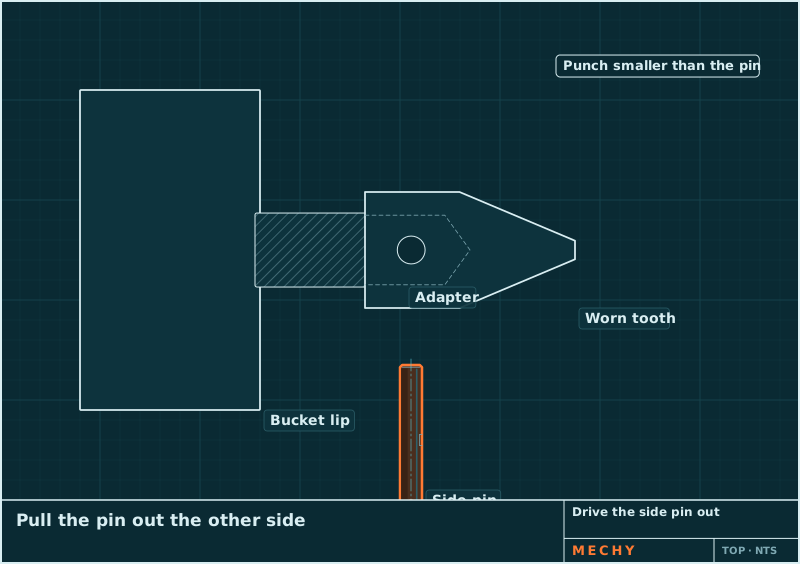
Step 2 of 6
Drive the side pin out
Put a pin punch on the end of the pin and drive it straight through with a hand sledge. Pull it out the far side.
How it works
Snap. Say. Follow.
- 1
Snap
A photo of the machine, the part or the display. Two or three angles help.
- 2
Say
Hold to talk: "Change the teeth on this bucket" or "This screw is stripped". Or type it.
- 3
Follow
Numbered steps with a moving drawing each, read aloud when your hands are busy.
A real guide
How to Replace Bucket Teeth
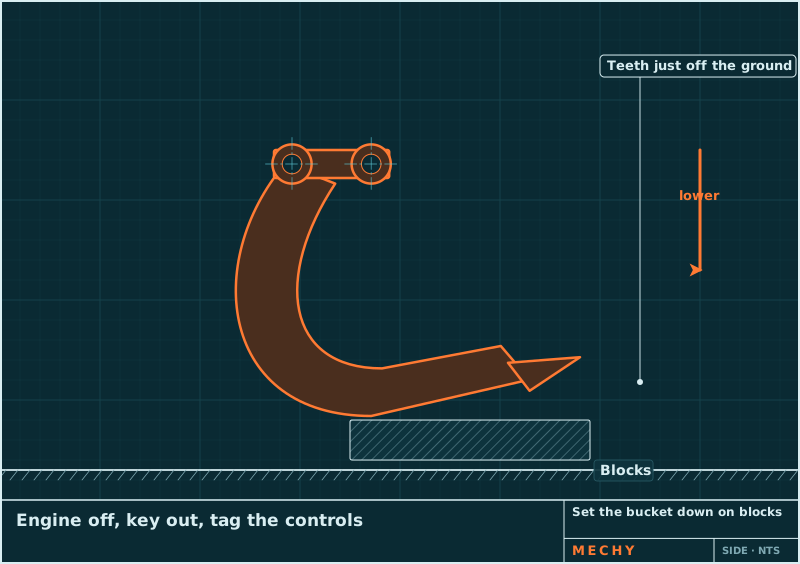
Pin-on teeth come off with a hammer and a pin punch: set the bucket down on blocks, drive the side pin out, pull the worn tooth, clean the adapter nose, then fit a new retainer, the new tooth and a new pin. Bolt-on and weld-on teeth need other steps.
- Set the bucket down on blocks
- Drive the side pin out
- Pull the worn tooth and clean the nose
- Fit the retainer and the new tooth
- Drive the new pin in
- Check every tooth
Sample guide, in review with a mechanic.
Jobs and codes
Reviewed guides and plain-word code lists for the machines you work on.
Fault codes
In every guide
Everything for the job, in the order you need it
Safety first
Lockout, blocking, power off, hot oil: before step 1, with a clear list of when to stop and call a pro.
Tools you have, tools you need
Mechy ticks the tools it can see in your photos, so you only fetch what's missing. With sizes: 19 mm, #2 Phillips.
Parts to buy by
Specs you can order with: "M8 × 1.25 × 25 mm, grade 8.8". Anything read from a photo is flagged to check.
A drawing that moves
Each step is a CAD-style drawing: the bolt turns out, the pin slides, the arrow shows which way.
Read aloud
Every step can be read out, and you can hold to talk instead of typing.
Specs flagged
Torque, pressure and capacities come marked "check your manual", never as gospel.
Where Mechy fits next to the manual
The OEM manual stays the source of truth for specs. Mechy gets you from the photo to the steps fast.
| Compare | Mechy | OEM service manual | Expert Q&A sites |
|---|---|---|---|
| Starts from | A photo and a sentence | Model, serial and the right section | A typed question |
| Steps | Numbered, a moving drawing each | Text and exploded views | A written answer |
| Specs and torque | Flagged to check against the manual | The source of truth | Varies |
| On the job | Read-aloud, hold-to-talk, big buttons | Laptop or printouts | Wait for a reply |
| Cost | Pro $79/year; Teams $49/editor/month | Dealer subscription | Per question or subscription |
Free tools
Not sure what you're holding?
Pricing
Start free. Pay when it earns its keep.
No weekly plans, no trial that turns into a charge. Cancel on the web in two clicks.
Questions
Which jobs does Mechy cover?
Hydraulic cylinders and hoses, tracks and undercarriage, pins and bushings, bucket teeth and cutting edges, filters and fluids, and fault codes for brands like Bobcat and Kubota. If a job needs a specialist (multi-piece rims, accumulators, track adjusters under pressure), the guide says so and asks you to confirm the safety steps.
Does it replace the service manual?
No. Use the OEM manual for torque values, capacities and procedures specific to your serial number. Mechy flags every spec it gives so you check it there.
Can my crew use it?
Yes. Teams is $49 per editor per month and viewers are free. See Mechy for teams, or ask about a pilot.
Is Mechy free to try?
Your first guide is free and needs no account. A free account gets 3 guides a month. Pro is $79 a year ($6.58 a month) or $9.99 monthly, for up to 100 guides a month.
Is it safe to follow?
Every guide starts with the safety steps for the job (lockout, blocking, power off, hot oil) and lists when to stop and call a pro or the dealer. Torque values and other specs are flagged to check against your manual. Mechy is a guide, not a replacement for the maker's manual or your training.
On your phone, or right here in the browser
The web app works on any phone today: open it, allow the camera, go. The iPhone and Android apps are on the way.