Home repairs
How to Mount a TV on the Wall (Studs or Anchors)
- 1 h 30 min
- Easy
- 7 steps
- 10 tools
- 3 parts
Snap yours and Mechy redraws these steps for it. First guide free, no sign-up.
Short answer
Check that the mount fits your TV's weight and hole pattern, find and confirm the studs, mark and drill pilot holes, bolt the wall plate to the studs, fit the brackets to the TV, then lift it on with a helper, lock it and check it.
Safety first
DIY friendlyDo these before step 1.
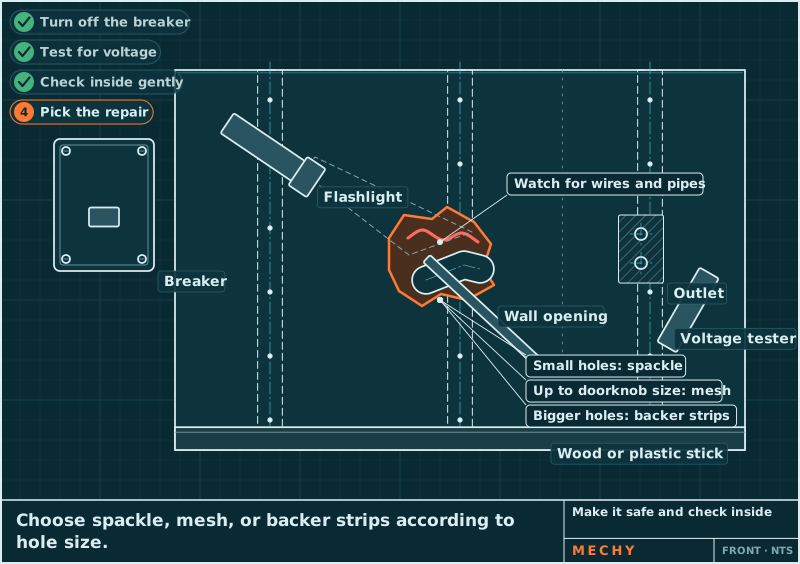
- DANGERWires or pipes may run behind the wall. Avoid spots right above or below outlets and switches. Stop drilling if you hit anything odd.
- DANGERNever run the TV's power cord inside the wall. It is a fire risk. Use a proper in-wall power kit fitted by an electrician.
- WARNINGTVs are heavy and awkward. Use a helper to lift it. Never hang it alone.
- WARNINGCheck the TV weight and VESA pattern against the mount's label before you drill anything.
- WARNINGWear safety glasses and a dust mask when drilling. Drywall dust harms eyes and lungs.
- WARNINGDo not stand under the TV while it is being lifted. Keep both hands on it until it is locked.
- NOTICEUse only the screws and spacers that fit your TV. Wrong ones can crack the TV's back or fall out.
- NOTICEAnchors or toggles are only for fixed or tilt mounts, and only if the mount maker rates them for your TV's weight. Never use them for a full-motion arm.
Stop and call a pro or the dealer if
- the stud finder or nail shows no solid stud where the plate needs to go, and the mount maker rates no anchors for your TV and mount type
- the wall is brick, concrete, or plaster over metal studs
- you hit a wire or pipe while drilling or feel anything odd
- the TV is heavier than the mount's rating, or the VESA pattern does not fit
- the mount is a full-motion arm and you can't reach the studs
Mechy's guides help, but they don't replace the maker's manual, your training or your site's rules. If something doesn't match what you see, stop and check.
Tools
Tick what you have. In the app, Mechy ticks the ones it can see in your photos.
Parts and supplies
- 1×TV wall mount with hardware kitRated above the TV weight; fits the TV's VESA patternCheck before you buy
- 2×Lag bolts (supplied with mount)As in the mount kit; use every hole the instructions call forCheck before you buy
- 4×TV screws and spacers (supplied)One per VESA hole; thread and length per the TV manualCheck before you buy Size chart
Steps
-
Step 1 of 7
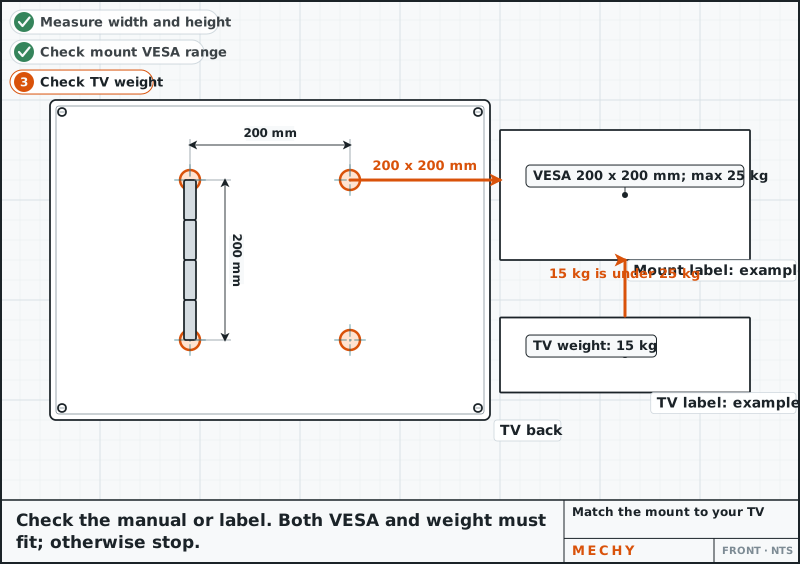
Match the mount to your TV
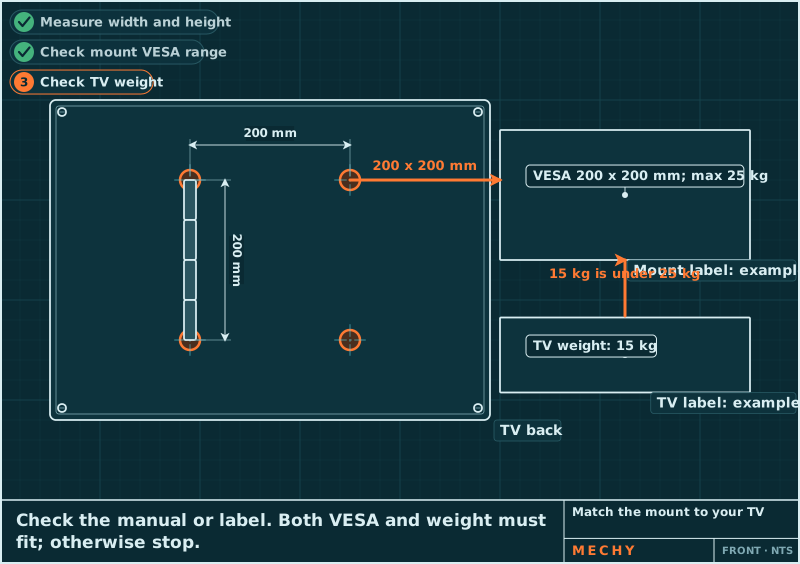
Find the VESA pattern (the square of 4 screw holes on the TV's back, in mm) and the TV's weight in its manual or label. Both must fit inside the range printed on the mount's label. If either does not, stop.
A mount rated below the TV's weight can fail and drop it.
Mount rating: Must exceed the TV weight Check it against your manual.
Tape measure
-
Step 2 of 7
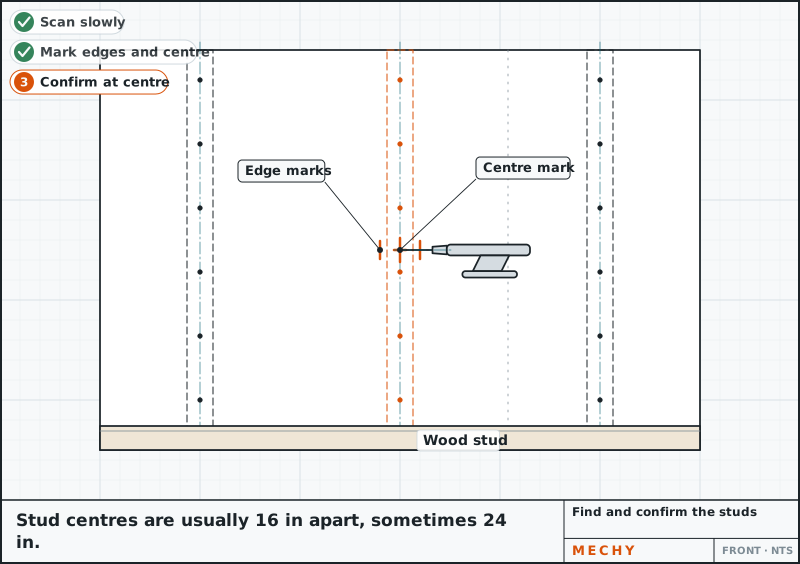
Find and confirm the studs
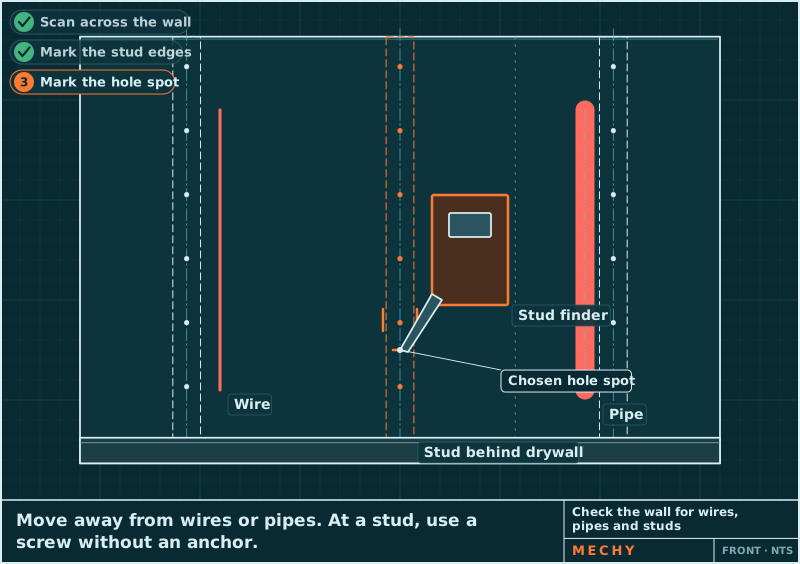
Slide the stud finder slowly across the wall and mark each edge, then the centre. Confirm by pushing a small nail or thin bit into the drywall at a spot the plate will hide. Wood resists; hollow does not. Mark the stud edges.
Avoid spots near outlets or switches. Pipes and wires often run there.
Stud spacing (US homes): Usually 16 in, sometimes 24 in, centre to centre Check it against your manual.
Stud finder, Small nail or thin drill bit, Pencil
-
Step 3 of 7
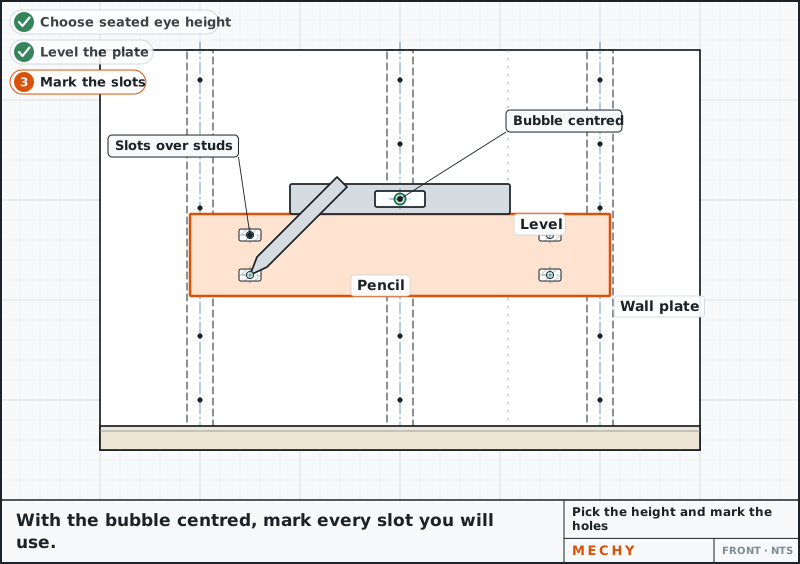
Pick the height and mark the holes
Seat the middle of the screen at about eye level when you sit. Hold the wall plate on the wall with its holes over the stud centres. Set the level on top, wait for the bubble to centre, then mark every hole you will use.
Plate: Level, with holes over stud centres Check it against your manual.
Spirit level, Pencil, Tape measure
-
Step 4 of 7
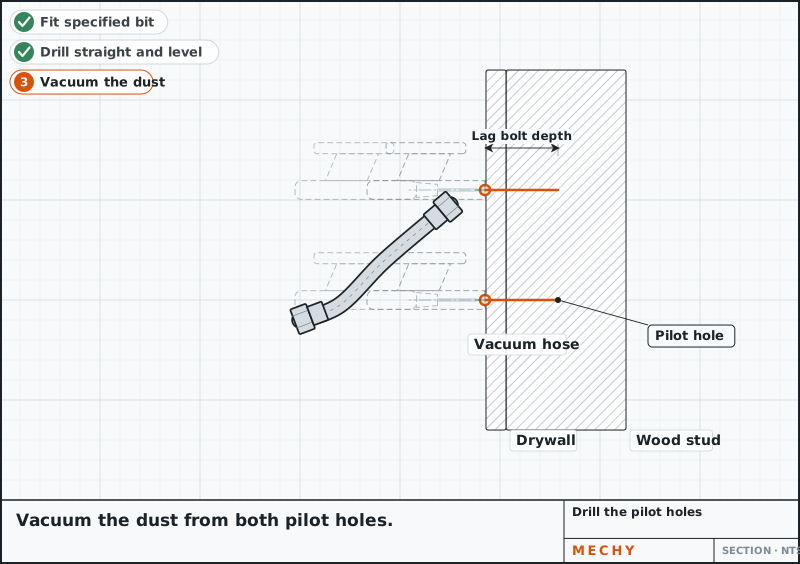
Drill the pilot holes
Fit the bit size the mount's instructions give. Put tape on the bit at the lag bolt length. Drill straight and level through the drywall into the stud centre to the tape. Vacuum the dust.
Stop if the bit hits metal or goes in with no resistance. Check what is behind.
Bit size: Per the mount's instructions Check it against your manual.
Drill/driver, Drill bit for pilot holes
-
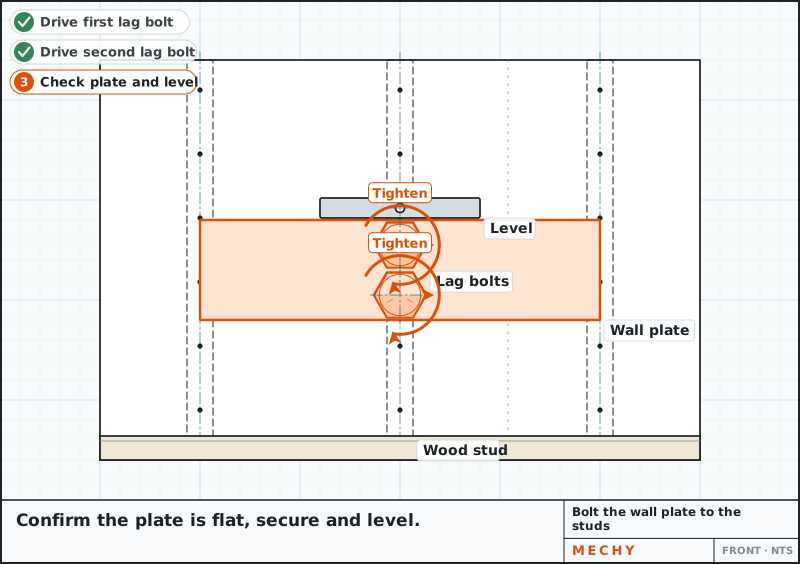
Step 5 of 7
Bolt the wall plate to the studs
Hold the plate over the holes and drive each lag bolt (a heavy screw with a hex head) by hand with the socket wrench until snug and the plate does not move. Stop there. Check the level again.
Do not overtighten or finish with the drill. It strips the wood in the stud.
Lag bolts: Snug, not forced Check it against your manual.
Socket wrench or ratchet, Spirit level
-
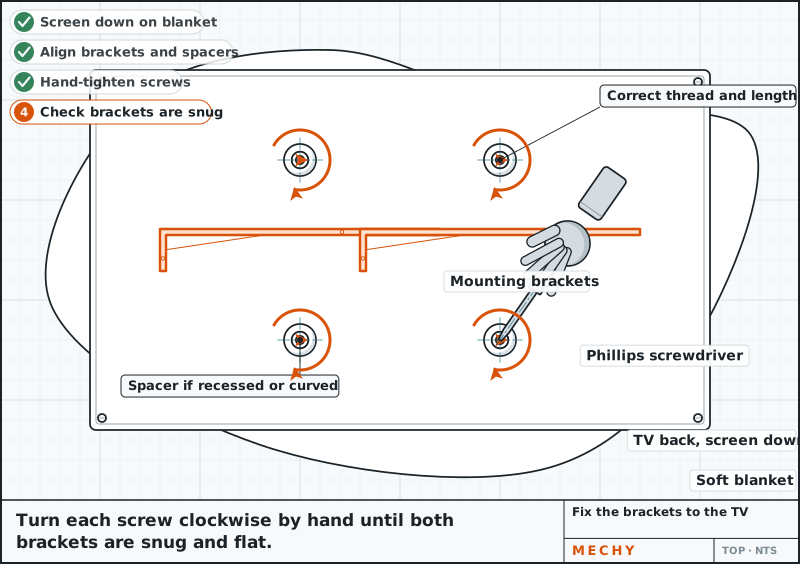
Step 6 of 7
Fix the brackets to the TV
Lay the TV screen-down on a soft blanket. Pick screws of the right thread and length from the kit, adding spacers if the back is curved or recessed. Start each screw by hand, then snug it with the Phillips screwdriver.
A screw that is too long can crush the TV's insides. Test it by hand first.
Screws: Thread and length per the TV manual Check it against your manual.
Phillips screwdriver
-
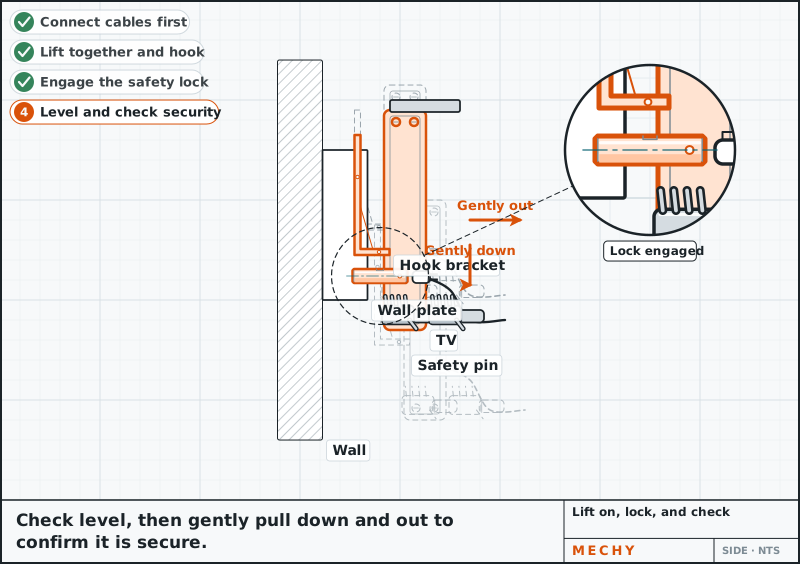
Step 7 of 7
Lift on, lock, and check
Plug in the cables first if the TV won't be reachable later. With a helper, lift the TV and hook the brackets onto the plate. Engage the lock or safety pins. Check the level, then pull firmly down and out to be sure it is secure. Re-check after a day.
Both people keep hands on the TV until it is locked.
Spirit level


Common mistakes
- Drilling without confirming a stud or checking for wires and pipes.
- Using a mount whose rating or VESA range does not fit the TV.
- Overtightening lag bolts and stripping the stud.
- Using screws that are too long and damaging the TV.
- Lifting the TV alone or not engaging the lock.
Questions
How do I install a TV on a wall?
Check that the mount fits your TV's weight and VESA pattern, find and confirm studs, bolt the wall plate into them, fix the brackets to the TV, then hang it with a helper and lock it.
Can I mount a TV without studs?
Only with anchors or toggles that the mount maker rates for your TV's weight and mount type. Never use them for a full-motion arm.
What is a VESA pattern?
It is the square or rectangle of four screw holes on the TV's back, measured in millimetres. The mount must support that pattern.
How high should I hang my TV?
Put the middle of the screen near eye level when you are seated.
Can I hide the power cord in the wall?
Not the TV's own cord. Use an in-wall power kit fitted by an electrician.
Updated
Not quite the same? Snap yours.
Mechy looks at your photo and redraws the steps for what you actually have.
First guide free. No sign-up, no card.
Related guides